
es1.bahasberita.com – Google Ads video campaigns enable businesses to reach targeted audiences on YouTube and Google Video Partners using a variety of engaging video ad formats such as skippable in-stream ads, bumper ads, and non-skippable ads. Setting up a successful campaign involves selecting the right campaign objective, uploading compelling video creatives, configuring precise audience targeting, and optimizing budget and bids to drive meaningful results like sales, leads, or brand awareness effectively.
In today’s digital advertising landscape, video ads have become a crucial component for driving user engagement and business growth. Platforms like YouTube command billions of active users worldwide, offering unparalleled reach and an array of targeting options. Google Ads video campaigns leverage these advantages to help advertisers connect with viewers in relevant moments through tailored video messages. However, mastering the setup and ongoing optimization of these campaigns requires detailed knowledge and systematic execution to maximize return on ad spend.
This comprehensive tutorial guides you through every step needed to create, launch, and optimize your Google Ads video campaign. From prerequisite preparations through advanced bidding and targeting strategies, this step-by-step guide combines practical tips, expert insights, and troubleshooting advice. Whether you’re looking to boost website traffic, generate leads, increase sales, or build brand awareness, you will find actionable best practices to enhance your video ad performance across YouTube and Google Video Partners.
Let’s dive into the full walkthrough and uncover how to harness Google Ads video campaigns for impactful, measurable results.
Preparing for Your Google Ads Video Campaign: Prerequisites and Setup Checklist
Before launching a Google Ads video campaign, there are essential prerequisites that ensure your efforts achieve the best outcomes. Proper preparation prevents common pitfalls such as ad disapprovals or targeting inefficiencies.
Google Ads Account Linked with YouTube Channel
To run video ads on YouTube and video partners, your Google Ads account must be linked to an active YouTube channel. This linkage enables seamless access to your video assets, audience data, and attribution capabilities. Verify this connection by navigating to Google Ads Settings > Linked Accounts > YouTube. Ensure you have permissions to upload and use videos from the linked channel.
Advertisement
Time estimate: 5 minutes
Video Creative Assets Ready in Multiple Formats and Lengths
Successful video campaigns benefit from testing diverse video ad formats including:
Having multiple video length options helps you identify which resonates best with your target audience. Make sure videos are high-quality, mobile-friendly, include clear branding within the first 5 seconds, and comply with Google’s advertising policies.
Time estimate: Variable depending on video production
Define Clear Business Goals and Campaign Objectives
Determine what your campaign aims to achieve with video ads. Google Ads offers campaign objectives aligned with marketing goals:
Selecting the right objective early ensures Google’s automated bidding and targeting features align with your priority outcomes.
Time estimate: 10 minutes
Budget Planning for Video Campaigns
Plan your initial daily budget with goals and campaign scale in mind. Beginners should start with a modest budget of $5 to $15 per day. This allows testing and learning without overspending. Keep in mind:
Budget planning mitigates risks and sets realistic expectations.
Time estimate: 5 minutes
Step-by-Step Guide to Creating Your Google Ads Video Campaign
Creating a Google Ads video campaign is methodical but manageable by breaking down into clear stages:
1. Log In and Start a New Campaign
Time estimate: 2 minutes
2. Select Your Campaign Goal
For example, choose Sales to prioritize conversions whereas Awareness focuses on reach.
Time estimate: 2 minutes
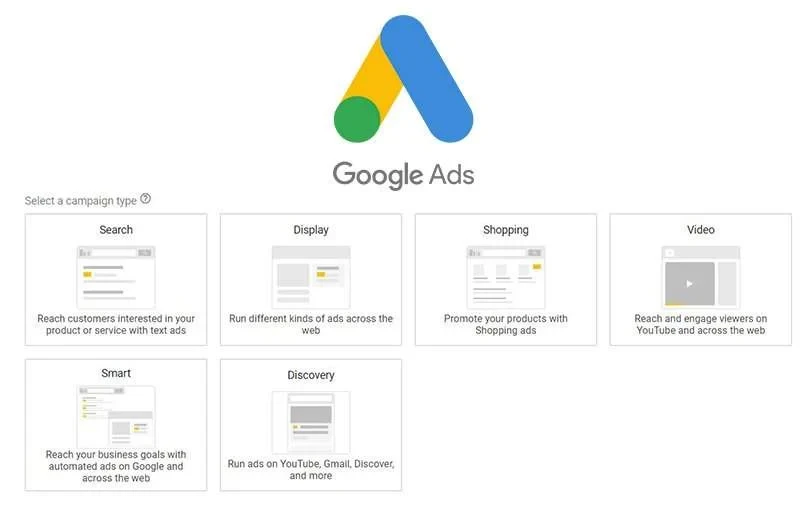
3. Choose Campaign Type: Video
Time estimate: 1 minute
4. Pick a Video Campaign Subtype
Options include:
Select the subtype in line with your objective and audience behavior.
Time estimate: 3 minutes
5. Define Campaign Settings
Time estimate: 5 minutes
6. Set Up Audience Targeting
Tips: Test targeting tiers to find optimal combinations. Avoid overly broad or narrow targeting.
Time estimate: 15 minutes
7. Upload and Configure Video Ads
Screenshots Reference: Refer to Google Ads Video Campaign creation interface screenshots showing the video ad setup step (link to Google Ads Help).
Common Mistake: Uploading low-quality videos or ignoring mobile optimization reduces ad effectiveness.
Time estimate: 20 minutes
8. Set Up Conversion Tracking
Time estimate: 15 minutes
9. Review Campaign Setup and Launch
Time estimate: 5 minutes
Optimizing Your Video Campaign for Maximum Success
Launching is just the start. Optimization drives profitability and sustained growth.
Monitor Essential Performance Metrics
Focus on metrics such as:
Use Google Ads reporting dashboard and YouTube Analytics for deep insights.
For example, if view rate is low, revisit video quality or targeting.
Continuous Data Analysis and Segmentation
Segment performance by device, geography, demographics to find winning segments or underperformers.
Test and Refine Ads
Audience Refinement
Expand or narrow targeting by adding complementary audience segments or excluding irrelevant groups to improve ROI.
Budget and Bid Adjustments
Increase budgets cautiously on successful campaigns. Switch bidding strategies if current methods yield unsatisfactory CPA or conversions.
Troubleshooting Common Video Campaign Issues
When campaigns don’t deliver expected results, consider these troubleshooting fixes:
1. Low Engagement and View Rates
2. High Cost Per Conversion
3. Ad Delivery Not as Expected
4. Budget Spent Too Fast or Too Slow
5. Video Ads Disapproved
Advanced Tips for Video Campaign Excellence
Summary of Key Steps for Google Ads Video Campaign Success
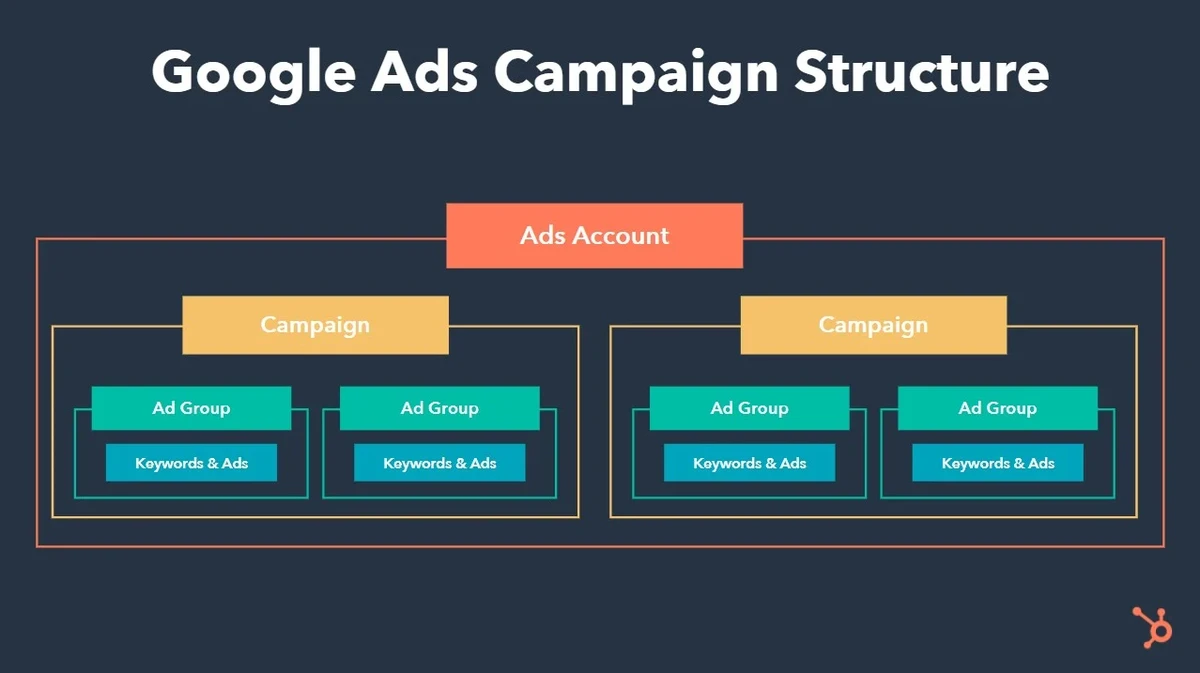
Creating and optimizing Google Ads video campaigns involves:
By following these systematic steps and investing in continuous optimization, your video campaigns can effectively drive sales, leads, website traffic, or brand awareness on YouTube and Google Video Partners.
Additional Resources and Next Steps

Start with small budget tests, learn from analytics, and steadily scale to amplify growth using Google Ads video campaigns today.
Advertisement
Advertisement