
Advertisement

TikTok Video Shopping Ads Boost E-Commerce Sales in 2025

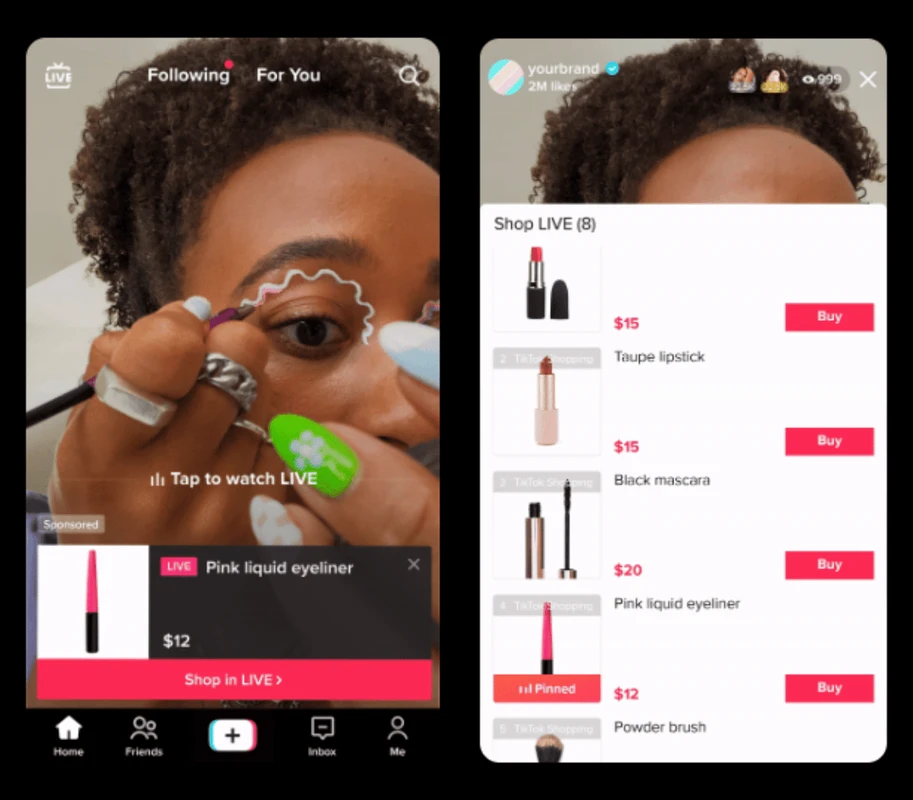
es1.bahasberita.com – TikTok Video Shopping Ads let users buy products directly from shoppable videos featured in TikTok’s For You feed. To create them, set your campaign objective to product sales, connect a product catalog to your TikTok Ads Manager, produce engaging videos with product cards and buy buttons, and target new or returning customers to boost sales seamlessly within the app.

Advertisement

In recent years, TikTok has transformed from a simple entertainment platform into a powerful e-commerce channel. Video Shopping Ads harness TikTok’s engaging short-video format to offer seamless shopping experiences, combining entertainment and instant purchasing. As of 2025, this integration is reshaping how brands connect with consumers by driving higher engagement, better purchase conversions, and authentic storytelling aligned with TikTok’s unique culture.

This tutorial provides a clear, step-by-step guide for marketers and e-commerce businesses eager to leverage TikTok Video Shopping Ads effectively. From setting up your TikTok Business Manager and linking product catalogs to creating compelling video ads and choosing smart targeting options, you’ll learn all practical steps. Additionally, we cover troubleshooting common hurdles, share best practices from TikTok Creative Partners and brands like American Eagle, and point to useful third-party tools that simplify campaign management.

Let’s dive into the essentials you must prepare before launching your first TikTok Video Shopping Ad campaign, setting a strong foundation for successful video commerce.

Prerequisites for Setting Up TikTok Video Shopping Ads

Before creating video shopping ads on TikTok, certain preparatory tasks are crucial to ensure smooth campaign management and maximum sales impact. This section details necessary accounts, integrations, and basic campaign knowledge you’ll need upfront.

TikTok Business Manager and Ads Manager Setup

  • Create a TikTok Business Manager account via https://business.tiktok.com/. This centralized portal lets you manage ad accounts, product catalogs, user permissions, and billing.
  • Set up an Ads Manager account within Business Manager if not already done. Ads Manager is your primary dashboard for building and monitoring ad campaigns, including Video Shopping Ads.
  • Assign appropriate roles/permissions to your marketing team or agency for collaborative management.
  • (Estimated time: 10-15 minutes)

    Creating and Linking Your TikTok Product Catalog

    To run effective Video Shopping Ads, TikTok must access your product feed for real-time data synchronization and dynamic product tagging.

    Advertisement

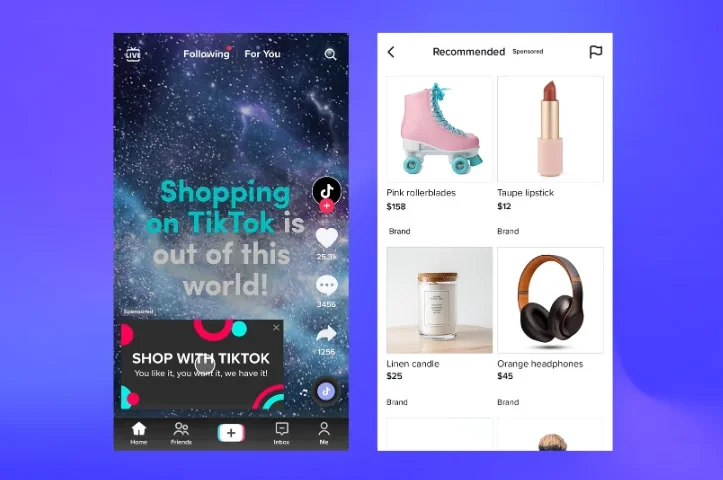
  • Prepare a product catalog in supported formats (CSV, API integration, or Shopify via TikTok Shop plugin).
  • Upload and verify your catalog in TikTok Business Manager under the Product Catalog section.
  • Ensure all product details—name, description, price, availability, images, and URLs—are accurate and comply with TikTok’s commerce policies.
  • Link your catalog to your ad account to enable product cards in ads.
  • (Estimated time: 20-30 minutes depending on catalog size)

    Accessing Third-Party Platforms (Optional)

    For enhanced management, consider connecting third-party tools like Sprinklr (for performance analytics), Channable (for catalog feed optimization), or Shuttlerock (creative asset production). These platforms integrate smoothly with TikTok Business Manager, offering automation and scalability options.

    Understanding TikTok Ad Campaign Structure

    Familiarize yourself with TikTok’s campaign organization:

  • Campaign level: Defines the advertising objective (e.g., product sales).
  • Ad Group level: Contains settings for targeting, budget, schedule, and ad format.
  • Ad level: Where creatives, product tags, and call-to-actions are configured.
  • Grasping this hierarchy is vital to orchestrate efficient campaigns.

    (Estimated time: 10 minutes to review official documentation or tutorials)

    After completing these steps, your account and assets will be ready for TikTok Video Shopping Ad creation.

    Step-by-Step Guide to Creating TikTok Video Shopping Ads
    step-by-step-guide-to-creating-tiktok-video-shoppi - TikTok Video Shopping Ads Boost E-Commerce Sales in 2025

    Creating an effective Video Shopping Ad campaign involves methodical setup through TikTok Ads Manager or integrated third-party platforms. Below is a detailed, actionable walkthrough.

    1. Campaign Creation

  • Log into TikTok Ads Manager and click Create New Campaign.
  • Select Product Sales as the campaign objective. This aligns TikTok’s optimization algorithms toward purchase conversions linked to your product catalog.
  • Name your campaign logically (e.g., “Spring Collection VSA 2025”).
  • (Estimated time: 5 minutes)

    2. Ad Group Setup

  • Choose the ad format: Video Shopping Ads (supports product tags, buy buttons).
  • Define budget and schedule:
  • – Set a daily or lifetime budget based on campaign goals.
    – Choose start and end dates or always-on campaigns.

  • Configure audience targeting:
  • – Create segments for new potential customers using demographic, interest, and behavior filters.
    – Setup retargeting audiences via pixel data or customer lists.

  • Opt for automatic placements or manually select TikTok For You feed, TikTok Shop placements, and other partner apps.
  • (Estimated time: 15-20 minutes)

    3. Connecting Your Product Catalog

  • Link the product catalog by selecting your imported feed.
  • Map product attributes correctly for dynamic showcasing.
  • Confirm the feed is syncing regularly (daily recommended).
  • Common mistakes:

  • Using incomplete or outdated feeds leads to product mismatch or ad disapprovals.
  • Not verifying that all products comply with TikTok’s commerce policies.
  • (Estimated time: 10 minutes)

    4. Ad Creative Production

  • Produce authentic, storytelling videos ideally between 15-60 seconds.
  • Highlight products in use, demonstrate benefits, or show lifestyle integration.
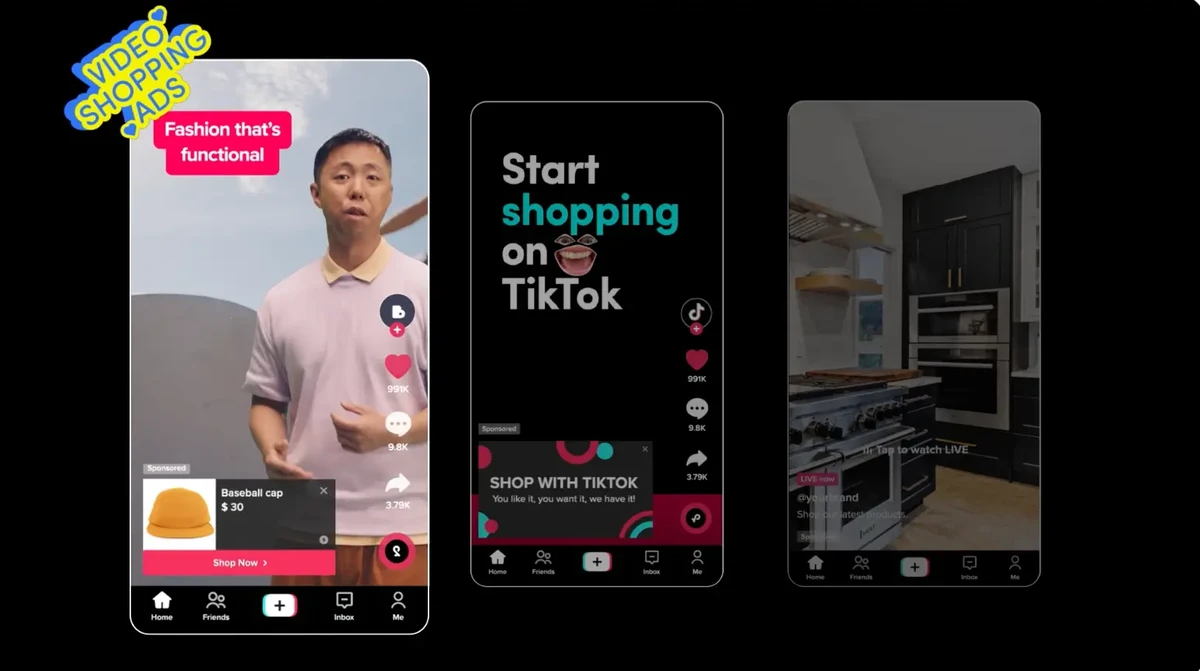
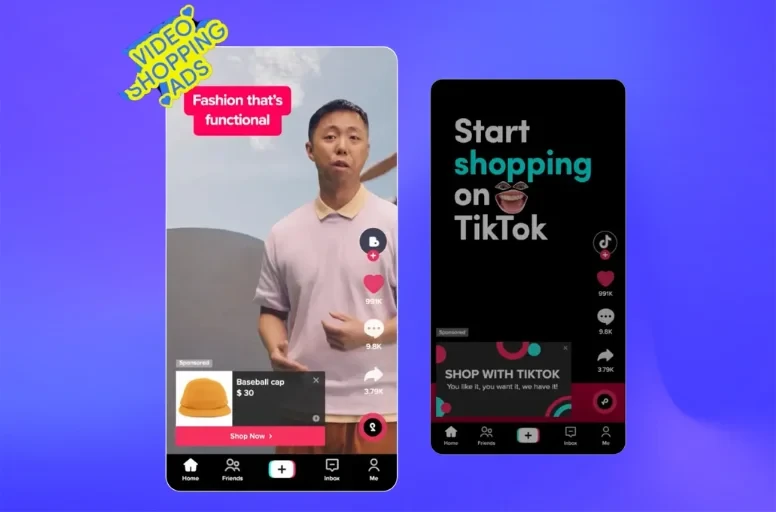
  • Include product cards with images, prices, and “Buy Now” buttons embedded within videos.
  • Collaborate with TikTok Creative Partners or trusted influencers for authentic content.
  • Use eye-catching captions and hashtags aligned with your campaign’s shopping theme.
  • Example: American Eagle’s TikTok Video Shopping Ad featured real customers styling seasonal outfits, driving 30% uplift in conversions.

    (Estimated time: 1-2 days including review cycles)

    5. Launching and Monitoring Your Campaign

  • Publish your campaign via TikTok Ads Manager or third-party tools like Sprinklr to leverage advanced analytics.
  • Track key performance metrics:
  • Click-Through Rate (CTR)
    Conversion Rate
    Return on Ad Spend (ROAS)
    View-through purchases

  • Conduct A/B testing on different video creatives, calls-to-action, and product cards to optimize results continuously.
  • (Estimated time: Ongoing post-launch monitoring)

    Troubleshooting Common Setup and Optimization Challenges
    troubleshooting-common-setup-and-optimization-chal - TikTok Video Shopping Ads Boost E-Commerce Sales in 2025

    Even experienced marketers face hiccups while running TikTok Video Shopping Ads. Here are some common issues and expert-recommended solutions.

    Catalog Syncing Errors

  • Issue: Products not appearing in ads or missing details.
  • Fix: Verify catalog feed format and update frequency. Perform manual re-syncs or use third-party tools like Channable for automated feed management.
  • Low Engagement or Click-Through

  • Issue: Video ads receive views but low product clicks.
  • Fix: Enhance creative with clearer product demonstration. Incorporate stronger calls-to-action. Test different video lengths and storytelling techniques.
  • Targeting Inefficiencies

  • Issue: Ads shown to irrelevant audiences or high cost per click.
  • Fix: Refine audience segments using TikTok pixel data, exclude uninterested users, and leverage custom/lookalike audiences.
  • Ad Disapproval or Policy Compliance

  • Issue: Ads rejected due to content violations.
  • Fix: Review TikTok’s advertising policies regularly. Avoid prohibited content like misleading claims or prohibited products. Use TikTok Business Help Center for guidance.
  • Budget and Bidding Problems

  • Issue: Campaign overspending or under-delivery.
  • Fix: Adjust budget pacing and bidding strategy (lowest cost vs. cost cap). Optimize campaign schedule to peak user activity.
  • Advanced Tips and Best Practices for TikTok Video Shopping Ads
    advanced-tips-and-best-practices-for-tiktok-video - TikTok Video Shopping Ads Boost E-Commerce Sales in 2025

    To truly scale your TikTok e-commerce success, consider these proven strategies.

  • Leverage Influencer Shopping Ads: Collaborate with TikTok influencers or creators who can authentically feature your products with integrated shopping links.
  • Use Dynamic Showcase Ads: Automatically display relevant products matched to user interests for personalized
  • Advertisement

    Leave a Comment